Your project data where needed, as needed.
Easily view, track and update your projects across platforms – no coding needed! Communication across departments can be limited by the tools each department uses. It’s time to remove the barriers in your workflows. SoftSync is a powerful app that helps you synchronize projects, tasks and user activities between Jira Cloud and Teamwork. Connect your project data and boost your team’s efficiency with seamless automation.
Working with several project management tools can be both a necessity and a challenge. Use the Jira and Teamwork synchronization to scale your projects through an automated communication workflow. Teamwork is the preferred tool for Project Managers and business stakeholders. Jira is the preferred tool for tech. With SoftSync you can now have different parts of your organization use either Teamwork or Jira while still keeping all the project data synchronized.
Fast and easy synchronization between Jira Cloud and Teamwork. Connect teams across departments.
Supported by Jira Cloud, we have the highest standards of data security. All project information is safely synced.
Global team of professionals working on continuous maintenance and improvements to support your project needs.
Map your projects – SoftSync will do the rest. Start having more productive workflows in just a few steps:
With the Jira and Teamwork integration, you can synchronize data between the platforms through:
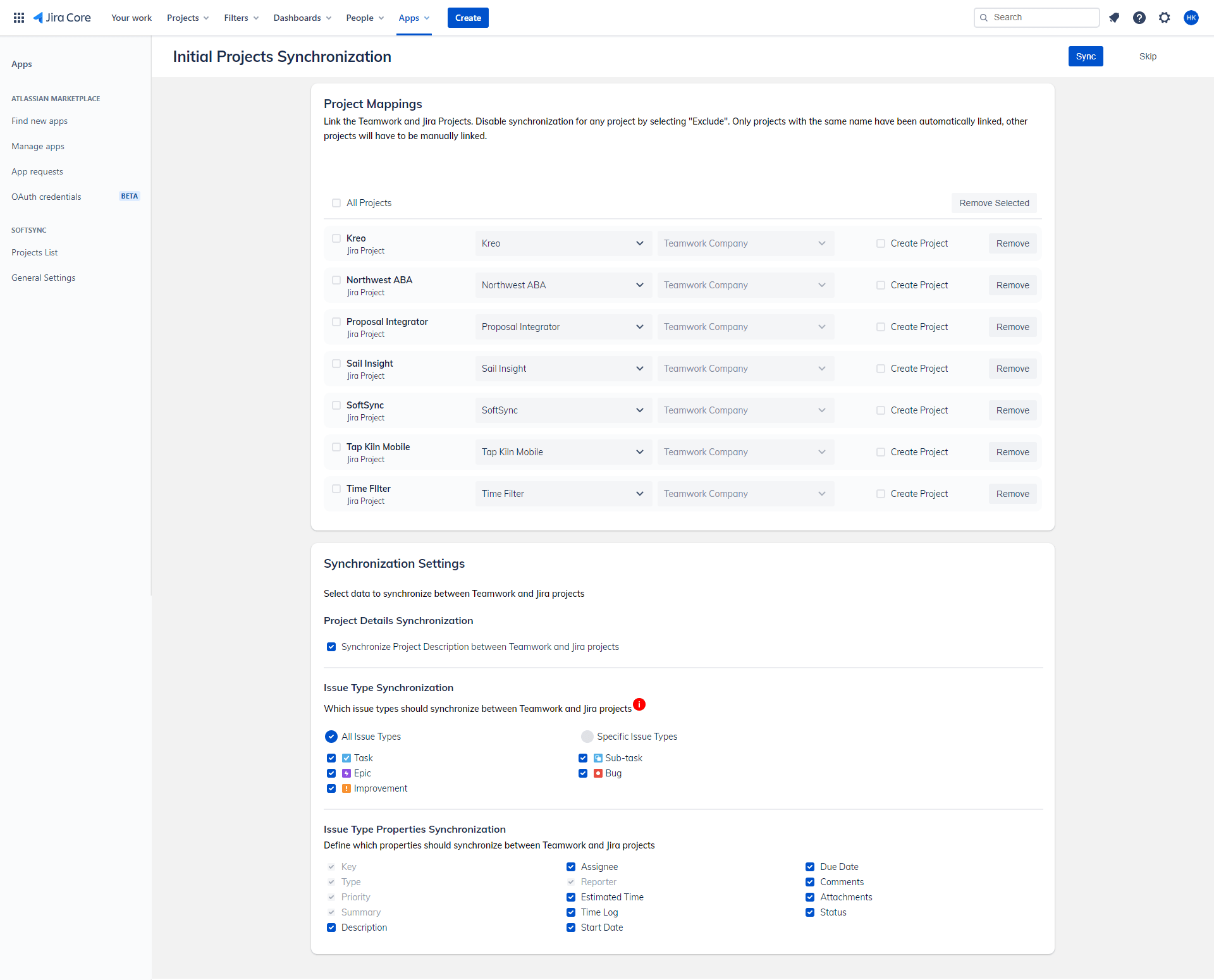
Choose which projects to sync between both systems. Map them to the corresponding project data with specific triggers and actions for each individual project.
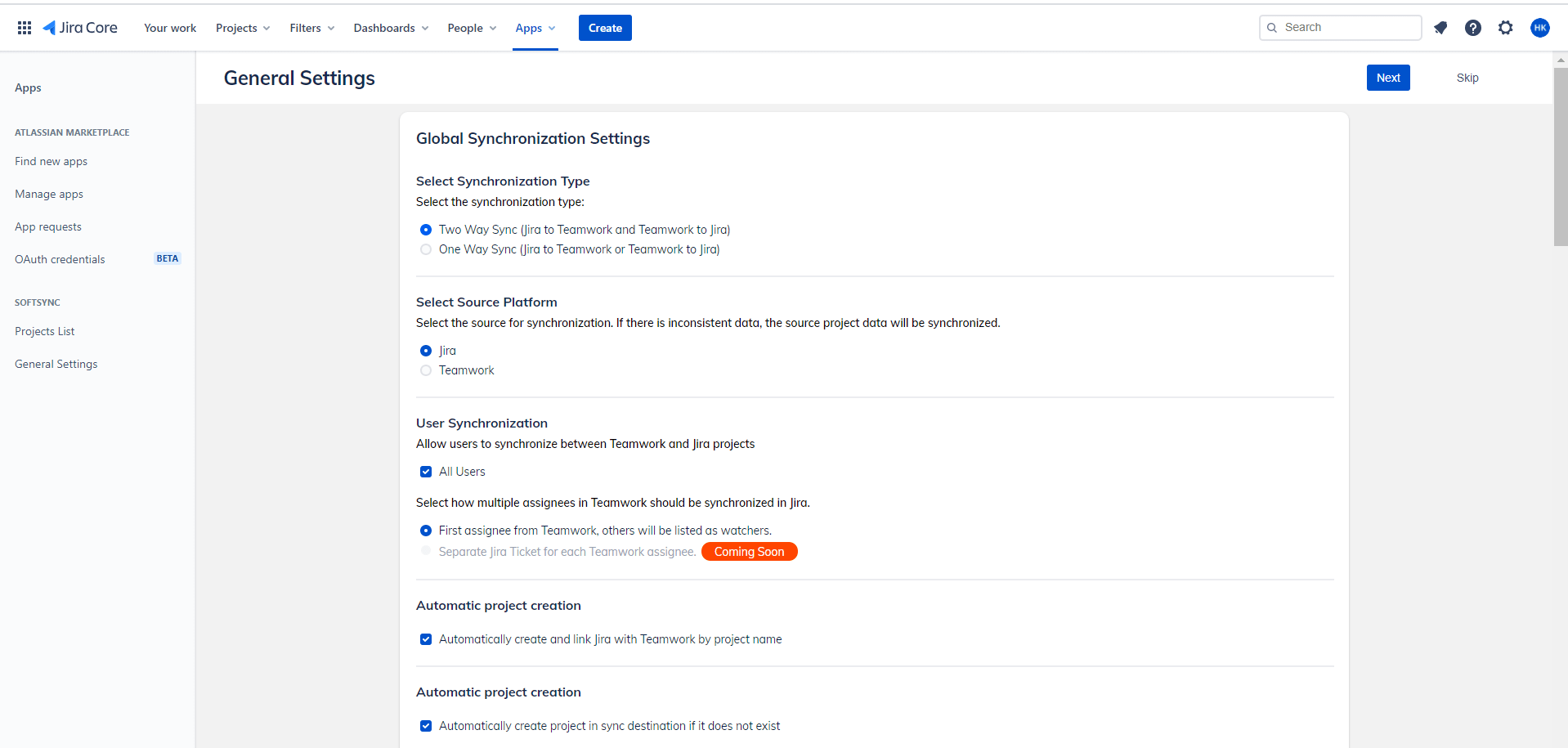
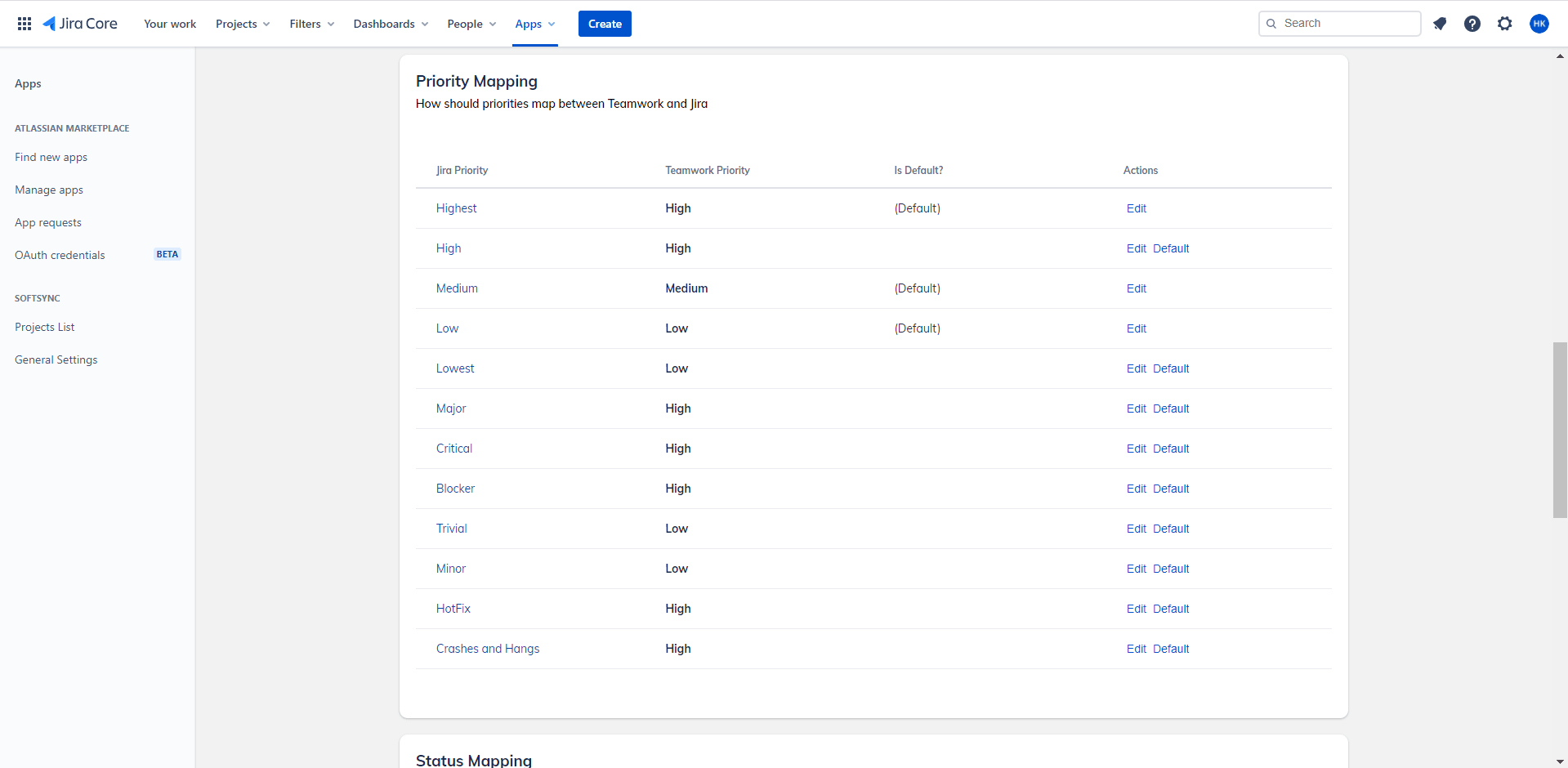
Define synchronization settings for each project by choosing to integrate the issue type, task status, and more.
Designed to give teams greater control over their projects, Softsync supports custom fields synchronization between Jira and Teamwork. The application synchronizes both system and user-created custom fields, ensuring improved consistency across both platforms.
Actions performed in one platform will automatically trigger synchronization in the other and vice versa.